Tech Explorers: Web Development

Regular price $2,199.00
Regular price $0.00 Sale price $2,199.00
Grades 6-8

Tech Explorers: Web Development—From Vision to Digital Experience

Regular price $2,199.00
Regular price $0.00 Sale price $2,199.00
Shipping calculated at checkout.

⚠️ Clearance Item - Final Sale

All clearance sales are final. No returns, refunds, or exchanges.

SKU: SKU:93938

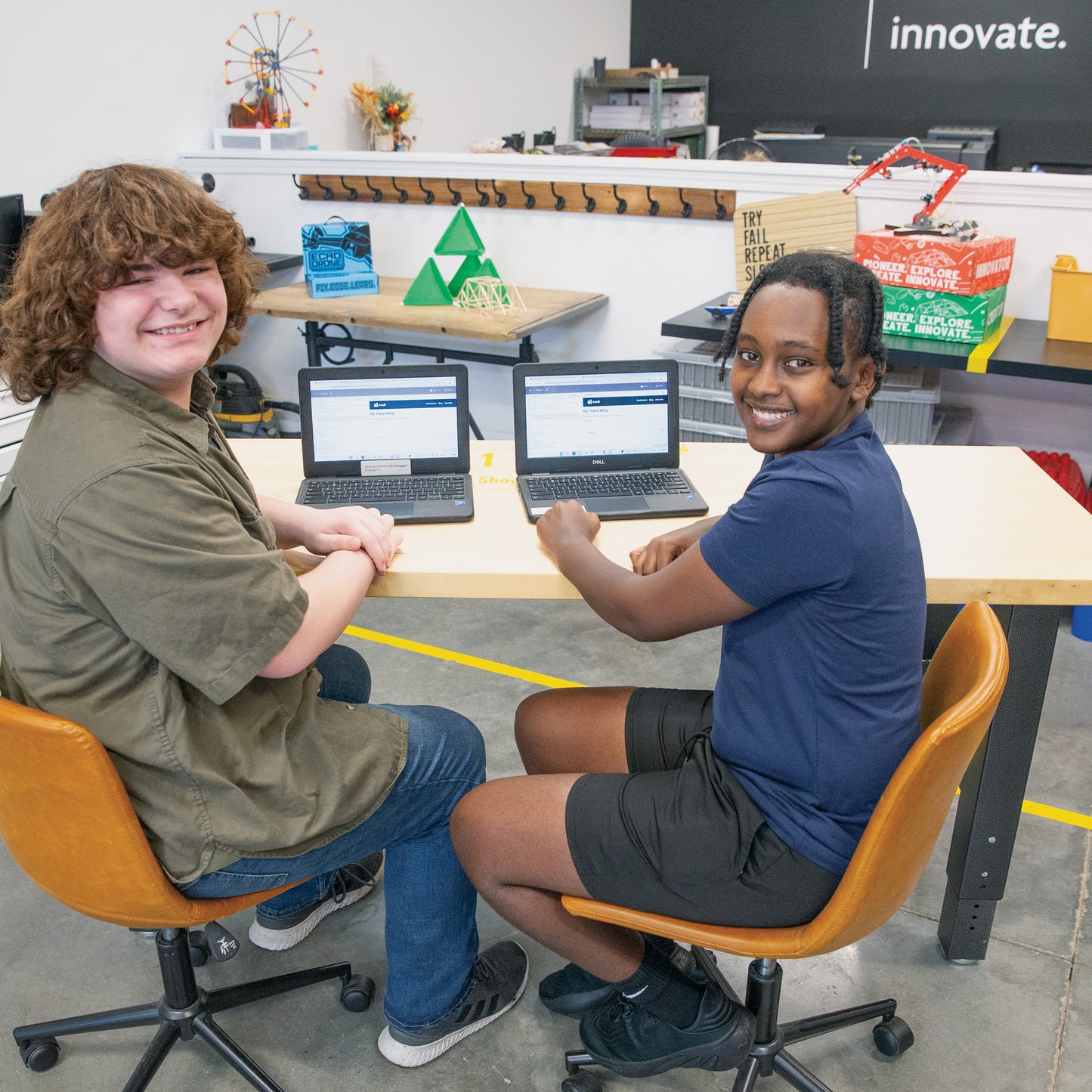
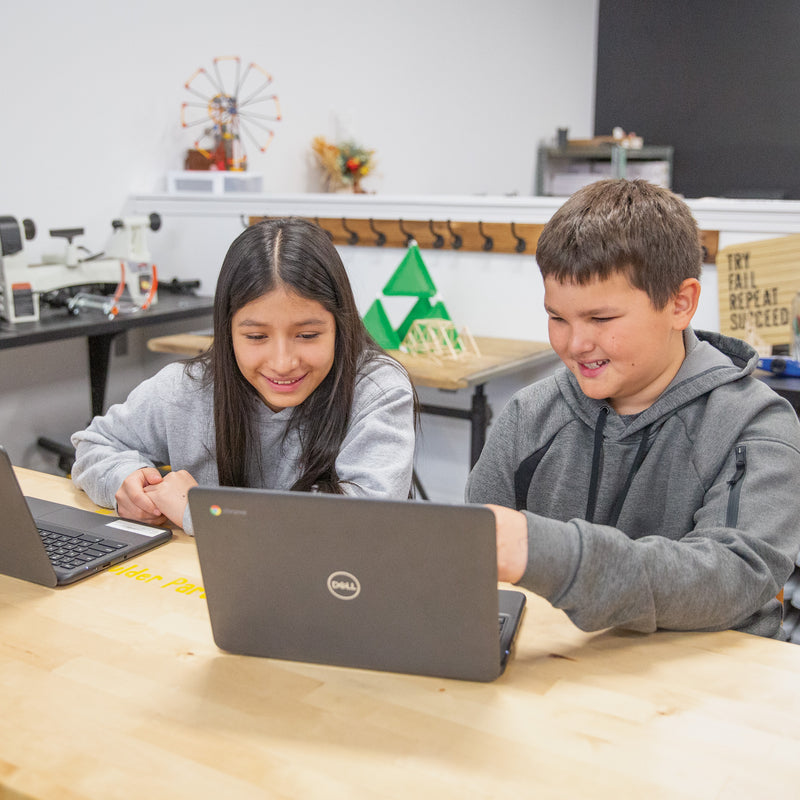
Students explore web design, coding, and interactive technology through forty-five class periods of hands-on projects. From wireframes and UI/UX principles to building functional HTML/CSS pages and physical computing prototypes, students develop the design thinking and technical skills behind every website and app they use.

In stock. Please allow 3-4 weeks for delivery.

Students Served: 24
Curriculum Included
Curriculum Included
HTML/CSS Coding
HTML/CSS Coding
Hydraulic Arms Included
Includes micro:bit Hardware
WHAT'S INCLUDED
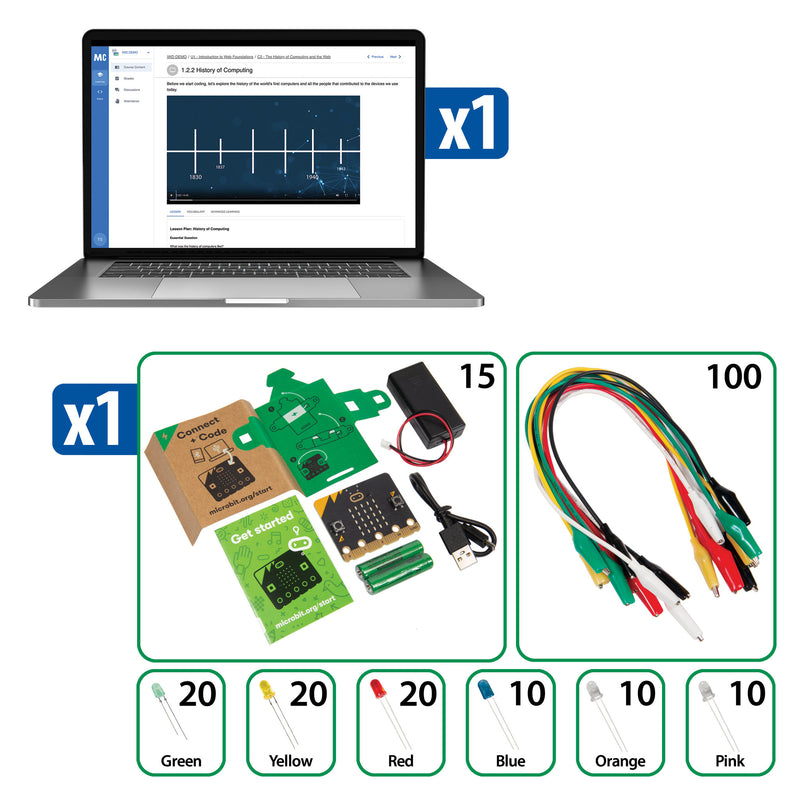
  • Mastery Coding™ Intro to Web Development (multiple cohorts of students)
  • Code.org micro:bit Educator Kit
SPECIFICATIONS & SAFETY
  • Students Served: 24
View full details
Tech Explorers: Web Development
Tech Explorers: Web Development

Regular price $2,199.00
Regular price $0.00 Sale price $2,199.00

Frequently Bought Together

1
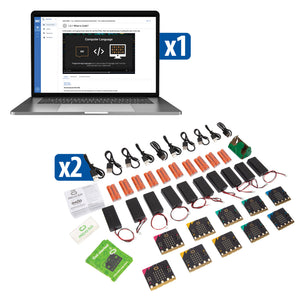
Educational technology kit with laptop, micro:bit boards, and accessories
+
2
Seeker robot in upright robot mode
+
3
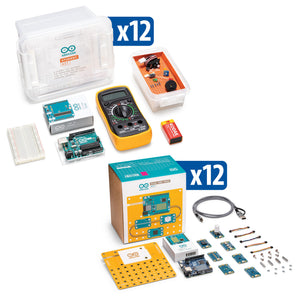
Two Arduino kits with electronic components and packaging

Total: $11,582.00 (3 items)
Tech Explorers: Web Development

Design. Build. Style. Launch.

Students do not just learn about the internet—they build for it. Through three integrated units covering UI/UX design, HTML/CSS development, and physical computing with App Lab, students experience the full web development process from concept sketch to working web page.
UI/UX Design Foundations

UI/UX Design Foundations

Students learn design terminology, differentiate UI from UX, create wireframes and high-fidelity mockups, and apply responsive design principles.

HTML/CSS Web Development

HTML/CSS Web Development

From internet history to semantic markup, students build and style functional web pages using HTML, CSS, fonts, colors, links, lists, tables, and media elements.

Physical Computing Integration

Physical Computing Integration

Using Code.org’s micro:bit Educator Kit and App Lab, students design apps that connect digital interfaces to physical inputs and outputs.

Capstone Web Projects

Capstone Web Projects

Students create a mood board, wireframe, and high-fidelity mockup in the design unit, then build a complete Green Team Website using HTML and CSS.

What Students Will Do

From their first wireframe sketch to their first live web page, students experience every phase of professional web development—research, design, build, style, test, and present.
  • Create wireframes and high-fidelity design mockups
  • Build structured web pages using semantic HTML markup
  • Style pages with CSS—colors, fonts, layouts, and responsive grids
  • Embed images, video, and media from external sources
  • Design apps in Code.org App Lab with buttons, text, images, and sound
  • Build physical computing prototypes that integrate digital and physical inputs

Compare Similar Products

Feature Current Product
Tech Explorers: Web Development
Tech Explorers: Game Development Tech Explorers: Intro to Electronics & IoT
Price $2,199.00 $3,543.00 $2,528.00
Primary Focus Web Design and DevelopmentGame Development and Coding Electronics and IoT
Grade Level Grades 6–8Grades 6–8 Grades 6–8
Curriculum Length 45 class periods44 class periods 40 class periods
Key Platform Mastery Coding + micro:bit + Code.orgMastery Coding + micro:bit + MakeCode Arcade Arduino boards + Plug and Make Kits
Coding Language HTML/CSS + App LabJavaScript + MakeCode Arduino IDE (C/C++)
Physical Hardware
Best For Programs seeking a design-first coding curriculum that teaches the skills behind every website and appSchools wanting a coding curriculum blending game design with creative computing Programs seeking electronics fundamentals with circuit building and IoT sensor projects
View Details View Details

Step 1—Set Up Mastery Coding: Create student accounts on the Mastery Coding platform (250-student license included). Prepare classroom devices with browser access.

Step 2—Designing for the Internet: Students explore web design terminology, careers, UI/UX principles, responsive layouts, and design workflows—culminating in a mood board to high-fidelity mockup project.

Step 3—Web Development Basics: Students learn the history of the internet and HTML, then build and style web pages with CSS—covering text, color, fonts, layout, links, lists, tables, and media elements.

Step 4—Green Team Website: Students apply everything they have learned to create a complete static web page using HTML and CSS—a portfolio-worthy capstone project.

Step 5—Creating Apps with Devices: Using Code.org App Lab and micro:bit, students design digital apps with physical inputs and outputs—bridging web design and physical computing.

From Vision to Digital Experience—The Skills Behind Every Website and App

The Tech Explorers: Web Development program teaches students that every website, app, and digital experience they interact with was designed and built by someone with the skills they are about to learn. Through forty-five class periods of design thinking, HTML/CSS coding, and physical computing, students develop the creative and technical foundations that connect to careers across every digital industry.

Students explore how web development supports professionals in fields such as:

• Front-end web development and UI engineering

• User experience (UX) design and research

• Digital marketing and content management

• App development and mobile design

• Graphic design and interactive media

They do not just browse the web. They build it.

Science

• How the internet works—protocols, servers, and data transmission

• Light, color theory, and digital display technology

• Human-computer interaction and usability research

• Systems thinking—how digital and physical inputs interact

Technology

• HTML semantic markup and page structure

• CSS styling—colors, fonts, layouts, and responsive design

• Code.org App Lab for interactive app development

• micro:bit physical computing and device integration

Engineering

• Design process—research, wireframe, prototype, build, test

• Responsive design for multiple screen sizes

• Debugging HTML/CSS and fixing display issues

• Integrating physical inputs with digital outputs

Math

• Grid systems and layout proportions for responsive design

• Color values—hex, RGB, and HSL number systems

• Measurement and spacing in CSS (pixels, percentages, ems)

• Coordinate systems for positioning elements on screen

Designing for the Internet (5 lessons):

• Welcome to Web Foundations—Overview of web design terminology, workflows, and associated careers

• Introduction to UX and UI—Define and differentiate user interface and experience design concepts

• Design Workflow and Principles—Define scope, conduct research, and understand target audience

• Designing for Responsive Layouts—Identify grid types for different content and screen sizes

• Unit Project: Mood Board to Mock-Up—Create a layout plan, wireframe, and high-fidelity design mock-up

Web Development Basics (7 lessons):

• The Internet and HTML—Overview of the internet, its history, and introduction to HTML syntax

• Styling with CSS—Define CSS, draw similarities to UI design, explore properties and font families

• Designing as a Developer—Apply color theory using hex, RGB, and HSL values, utilize Google Fonts

• Arranging Content—Structure content with semantic HTML and position elements with CSS

• Links, Lists, and Tables—Create internal and external links, build lists and tables

• Media Elements—Incorporate images, video, iframes, and third-party media content

• Unit Project: Green Team Website—Create a static web page using HTML and CSS

Code.org micro:bit: Creating Apps with Devices (2 lessons):

• Introduction to App Lab—Build and share apps using buttons, text, images, sound, and screens

• Inputs and Outputs—Design physical computing devices that integrate physical inputs with digital apps

Why Teachers Love Tech Explorers®: Web Development

Forty-Five Class Periods

Forty-Five Class Periods

The longest Tech Explorers program, providing a full semester of web design and development instruction.

Design-First Approach

Design-First Approach

Students learn UI/UX principles, wireframing, and mockup creation before writing a single line of code.

Real HTML/CSS—

Real HTML/CSS—

Students build actual web pages with industry-standard markup and styling—not drag-and-drop website builders.

Digital Meets Physical

Digital Meets Physical

Code.org’s micro:bit integration bridges screen-only coding with tangible hardware, broadening the learning experience beyond web pages.

Most Affordable Tech Explorer

Most Affordable Tech Explorer

The lowest-cost entry point into the Tech Explorers lineup.

Educator Trusted

Educator Trusted

Pitsco’s fifty-plus years of curriculum expertise ensures every lesson is structured, engaging, and effective.

"It has truly been a pleasure working with the Pitsco team and experiencing the outstanding curriculum, equipment, and resources you provide—not to mention the legendary service your team consistently delivers."

—Dr. Monica C. Smith, Memphis Shelby County

Flexible Purchasing Options

Pricing and volume discounts are built in—choose the path that fits your purchasing process.

Buy Online

Best if you know what you need and can buy online.

Ready to purchase now? Add this to your cart for fast, easy checkout.

Request a Quote

Need a quote for approval or purchase order processing?

Request a quote or connect with an Education Advisor before purchasing.

Request a Quote

Get Expert Guidance

Exploring options or planning a larger implementation?

Our Education Advisors can help with product selection, curriculum, and professional learning.

Book a Meeting

Frequently Asked Questions

What grade levels is this program designed for?

Tech Explorers: Web Development is designed for Grades 6–8. The design-first approach makes it accessible even for students with no prior coding experience.

Do students need coding experience?

No. The curriculum starts with visual design concepts—terminology, wireframing, and mockups—then introduces HTML and CSS gradually. Students learn by building, not by memorizing syntax.

What devices do students need?

Standard classroom computers or Chromebooks with browser access. Mastery Coding, Code.org App Lab, and HTML/CSS editing all work in web browsers. micro:bit connects via USB.

How does this differ from the Game Development program?

Web Development focuses on design thinking, UI/UX, and HTML/CSS—the skills behind every website and app. Game Development focuses on JavaScript programming, game mechanics, and interactive game design. Together they cover front-end development comprehensively.

Can this program serve more than twenty-four students?

Yes. The Mastery Coding license supports multiple sections of students. Additional Code.org micro:bit kits can be purchased separately for larger programs.

Will students have a portfolio piece at the end?

Yes. The Green Team Website capstone project gives every student a complete, functional web page they have designed and coded from scratch—a tangible portfolio piece they can show teachers, parents, and peers.