Kindergarten Computer Science Program

Regular price $1,430.00
Regular price $0.00 Sale price $1,430.00
Grades K-1

Kindergarten Computer Science Program—Introduce Computational Thinking Through Screen-Free Robotics

Regular price $1,430.00
Regular price $0.00 Sale price $1,430.00
Shipping calculated at checkout.

⚠️ Clearance Item - Final Sale

All clearance sales are final. No returns, refunds, or exchanges.

SKU: SKU:93983

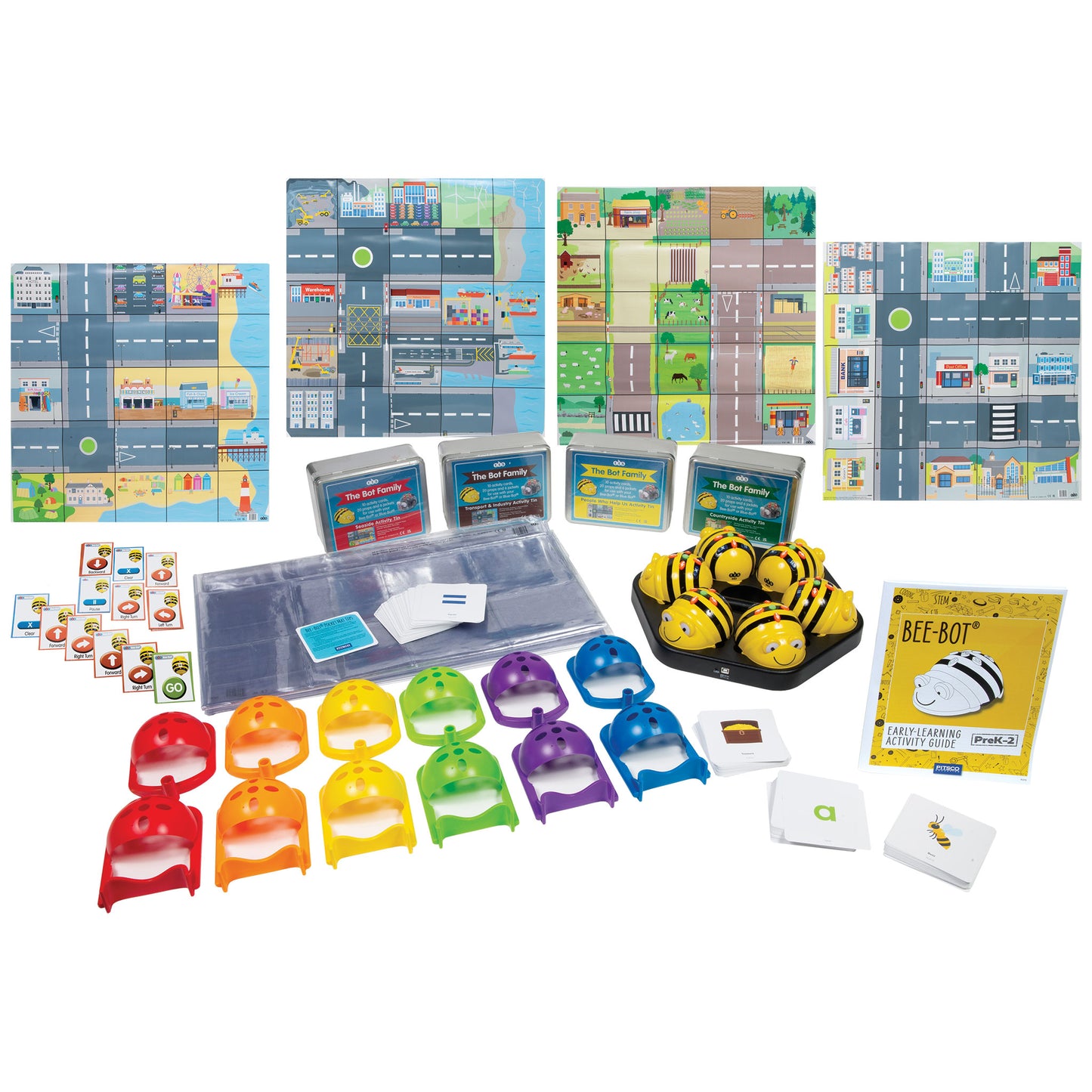
The Kindergarten Computer Science Program uses Bee-Bot, a tactile, screen-free robot, to introduce sequencing, spatial reasoning, and collaborative problem-solving. Students program Bee-Bot to navigate grids and color-coded cards as they solve puzzles and tell stories across literacy, math, science, and social studies.

In stock.

Students Served: 24
Standards-Aligned
Standards-Aligned
Features Bee-Bot
Features Bee-Bot
Curriculum Included
Curriculum Included
No Experience Required
WHAT'S INCLUDED
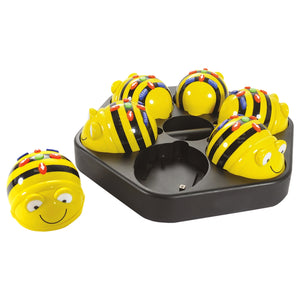
  • 6 Bee-Bot® Programmable Robots
  • 1 Rechargeable Docking Station
  • 1 Bee-Bot® World Bundle
  • 6 Pushers
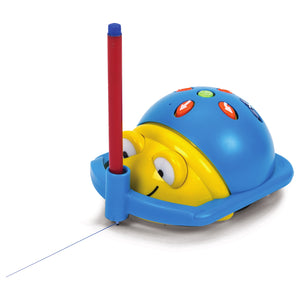
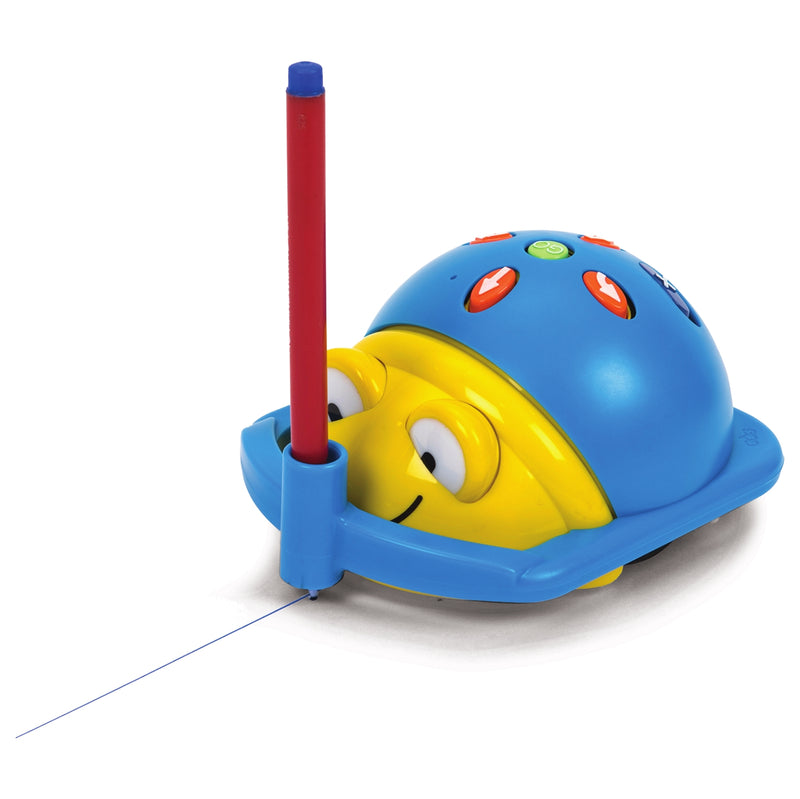
  • 6 Pen Holders
  • 1 Bee-Bot® Early Learning Activity Guide
  • 6 Sequence Cards
SPECIFICATIONS & SAFETY
  • Brand: TTS
View full details
Kindergarten Computer Science Program

Kindergarten Computer Science Program

Regular price $1,430.00
Regular price $0.00 Sale price $1,430.00

Frequently Bought Together

1
Bee-Bot® Programmable Robot Single Set
+
2
Bee-Bot® and Blue-Bot® Rechargeable Docking Station
+
3
Bee-Bot® Pen Holder

Total: $215.25 (3 items)
Kindergarten Computer Science Program

Screen-Free Computational Thinking

Press. Program. Explore. Bee-Bot's simple forward, backward, left, and right buttons let kindergartners build real programs without a screen—developing sequencing, spatial reasoning, and debugging skills through hands-on play.
Screen-Free Programming

Screen-Free Programming

Bee-Bot uses tactile buttons—no tablets or computers needed. Students press forward, backward, left, and right to create step-by-step programs.

Cross-Curricular Lessons

Cross-Curricular Lessons

All 15 lessons connect to literacy, math, science, or social studies content strands, reinforcing grade-level skills while teaching computational thinking.

Collaborative Learning

Collaborative Learning

Students work in pairs with six robots, sharing ideas and debugging programs together as they navigate grids and solve challenges.

Teacher-Ready Curriculum

Teacher-Ready Curriculum

The Bee-Bot Early Learning Activity Guide provides complete lesson plans with clear objectives, materials lists, and step-by-step instructions.

What Students Will Do

Through 15 hands-on lessons, kindergartners develop foundational computational thinking skills across the curriculum.
  • Program Bee-Bot to navigate grids using directional buttons
  • Practice sequencing vocabulary (before, next, after, then)
  • Count, estimate, and plan paths to reach targets
  • Explore the scientific method by testing surfaces for Bee-Bot travel
  • Identify colors, shapes, letters, and numbers through robot navigation
  • Connect programming to real-world roles like community helpers

Compare Similar Products

Feature Current Product
Kindergarten Computer Science Program
Grade 1 Computer Science Program Grade 2 Computer Science Program
Price $1,430.00 $1,040.00 $2,380.00
Primary Focus Computational Thinking FoundationsComputational Thinking Foundations Computer Science Foundations
Grade Level KindergartenGrade 1 Grade 2
Featured Robot Bee-Bot (screen-free)Bee-Bot Blue-Bot
Curriculum Length 15 lessons (30-45 minutes each)15 lessons (30-45 minutes each) 12 lessons (60 minutes each)
Device Required
Cross-Curricular Lessons
Best For Screen-free intro to sequencing and spatial reasoningBuilding on K foundations with more complex sequencing App-based programming with Bluetooth connectivity
View Details View Details

Step 1—Explore the Robot: Students meet Bee-Bot and learn its directional buttons (forward, backward, left, right, pause, clear, go). They practice pressing buttons and watching Bee-Bot move.

Step 2—Plan a Path: Using grid mats and activity cards, students plan a sequence of moves to guide Bee-Bot from a starting point to a target. They practice thinking ahead and predicting outcomes.

Step 3—Program and Test: Students enter their planned sequence into Bee-Bot and press go. They observe whether Bee-Bot reaches the target, then debug by adjusting their program.

Step 4—Connect to Content: Each lesson ties Bee-Bot programming to a curricular area—counting rhymes in literacy, estimating distances in math, testing surfaces in science, or exploring community roles in social studies.

Career-Connected Computer Science

The Kindergarten Computer Science Program introduces the foundational thinking skills that drive careers in technology, engineering, and beyond. As students program Bee-Bot to solve problems, they practice the same sequencing, debugging, and logical reasoning used by software developers, robotics engineers, and data analysts.

Industry Applications: Computer programming, robotics engineering, game design, logistics and planning, and educational technology.

Science

  • Scientific method
  • Material properties
  • Animal characteristics
  • Observation
  • Classification

Technology

  • Sequencing
  • Algorithmic thinking
  • Debugging
  • Directional programming

Engineering

  • Problem-solving
  • Spatial reasoning
  • Design thinking
  • Iterative testing

Math

  • Counting
  • Estimation
  • Number recognition
  • Pattern identification
  • Measurement

Content Connections

Literacy Lessons:

  • Itsy Bitsy Spider—Count, repeat rhymes, and respond to rhymes while programming Bee-Bot.
  • Sequence the Story—Program Bee-Bot to find the next picture in a sequence and develop vocabulary such as before, next, after, and then.
  • Names—Program Bee-Bot to interact with letters and sounds, while practicing writing their names.
  • Guess Who?—Become familiar with faces around the school and community while using factual writing.
  • I Spy—Program Bee-Bot to move to pictures of letters based on sounds.

Math Lessons:

  • Cave Explorer—Develop estimation, planning, and counting skills.
  • Knock Them Down—Develop estimation and programming skills to knock down objects.
  • Find the Number—Recognize and develop understanding of the relationship between numbers.

Science Lessons:

  • Colors—Identify colors and reinforce understanding of Bee-Bot programming and controls.
  • Materials Matter—Explore aspects of the scientific method as they discover the best surfaces for Bee-Bot to travel on.
  • Baby Animals—Match baby animals with their parent and discuss shared characteristics.

Geography and Social Studies Lessons:

  • Bee-Bot Exploration—Develop skills for basic movements using directions (forward, backward, left, right).
  • American Symbols—Guide Bee-Bot to symbols of the United States and discuss the importance of each.
  • Homes—Design a home for Bee-Bot while considering how homes of today might differ from homes in the past.
  • People Who Help Us—Examine roles of people in the community who help us (nurse, dentist, police officer, firefighter, bus driver).

Support Materials

Videos, guides, and resources to help you get the most out of this product.

Why Teachers Love Kindergarten Computer Science Program

Screen-Free Design

Screen-Free Design

No tablets, computers, or apps required—perfect for early learners.

Cross-Curricular Integration

Cross-Curricular Integration

Lessons connect to literacy, math, science, and social studies standards.

Collaborative Setup

Collaborative Setup

Six robots serve 24 students working in pairs.

Teacher-Ready

Teacher-Ready

Complete lesson plans with no prior coding experience needed.

Engaging Storylines

Engaging Storylines

Lessons use rhymes, puzzles, and real-world scenarios to keep students motivated.

Rechargeable

Rechargeable

Docking station keeps all six robots charged and classroom-ready.

"Your curriculum is deeper. You deliver 21st-century skills that truly teach kids how to not just look at the content but also be able to communicate and work collaboratively. And there is no comparison to your customer service."

— Cary Johnson, K-12 Director of Innovation and Technology, Placentia-Yorba Linda Unified School District, CA

Flexible Purchasing Options

Pricing and volume discounts are built in—choose the path that fits your purchasing process.

Buy Online

Best if you know what you need and can buy online.

Ready to purchase now? Add this to your cart for fast, easy checkout.

Request a Quote

Need a quote for approval or purchase order processing?

Request a quote or connect with an Education Advisor before purchasing.

Request a Quote

Get Expert Guidance

Exploring options or planning a larger implementation?

Our Education Advisors can help with product selection, curriculum, and professional learning.

Book a Meeting

Frequently Asked Questions

Do teachers need coding experience to teach this program?

No. The Bee-Bot Early Learning Activity Guide provides complete lesson plans with step-by-step instructions. A 45-minute onboarding session is also included.

How long is the curriculum?

The program includes 15 lessons, each lasting approximately 30-45 minutes. Lessons connect to existing content strands so they integrate easily into your schedule.

How many students does this program serve?

Each program serves up to 24 students. Students work in pairs, with six Bee-Bot robots included.

Do students need tablets or computers?

No. Bee-Bot is completely screen-free. Students program the robot using tactile buttons directly on the device.

What subjects do the lessons cover?

Lessons span literacy, math, science, and geography/social studies—reinforcing grade-level content while teaching computational thinking.

Is this program part of a larger pathway?

Yes. The Kindergarten program is the first step in Pitsco's Elementary Computer Science pathway, which continues through 5th grade with Blue-Bot, micro:bit, and LUMA.