Grade 3 Computer Science Program

Regular price $940.00
Regular price $0.00 Sale price $940.00
Grade 3

Grade 3 Computer Science Program—Transition to Block-Based Coding With micro:bit

Regular price $940.00
Regular price $0.00 Sale price $940.00
Shipping calculated at checkout.

⚠️ Clearance Item - Final Sale

All clearance sales are final. No returns, refunds, or exchanges.

SKU: SKU:93986

The 3rd Grade Computer Science Program introduces micro:bit, a pocket-size microcontroller that bridges block-based coding and real-world sensor projects. Students write code to display text on LEDs, track steps with accelerometers, monitor weather with temperature sensors, and create interactive games—all while building computational thinking and data literacy.

In stock. Please allow 3-4 weeks for delivery.

Students Served: 24
Standards-Aligned
Standards-Aligned
Features micro:bit
Features micro:bit
Curriculum Included
Curriculum Included
No Experience Required
WHAT'S INCLUDED
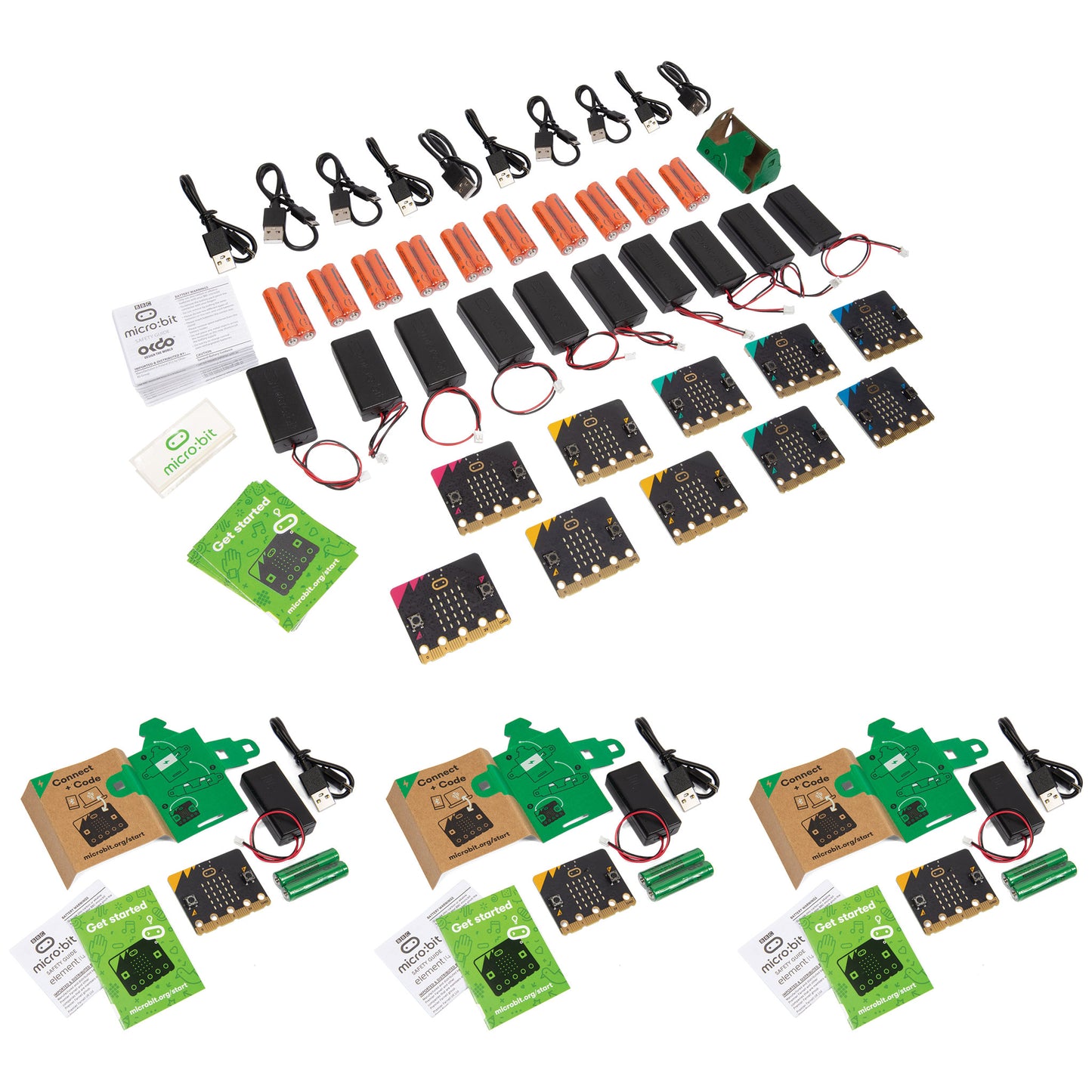
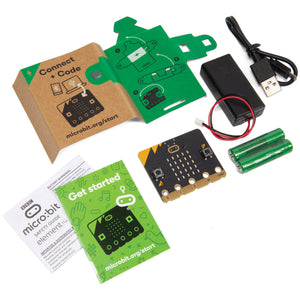
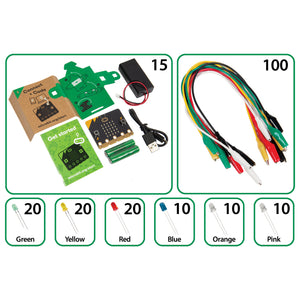
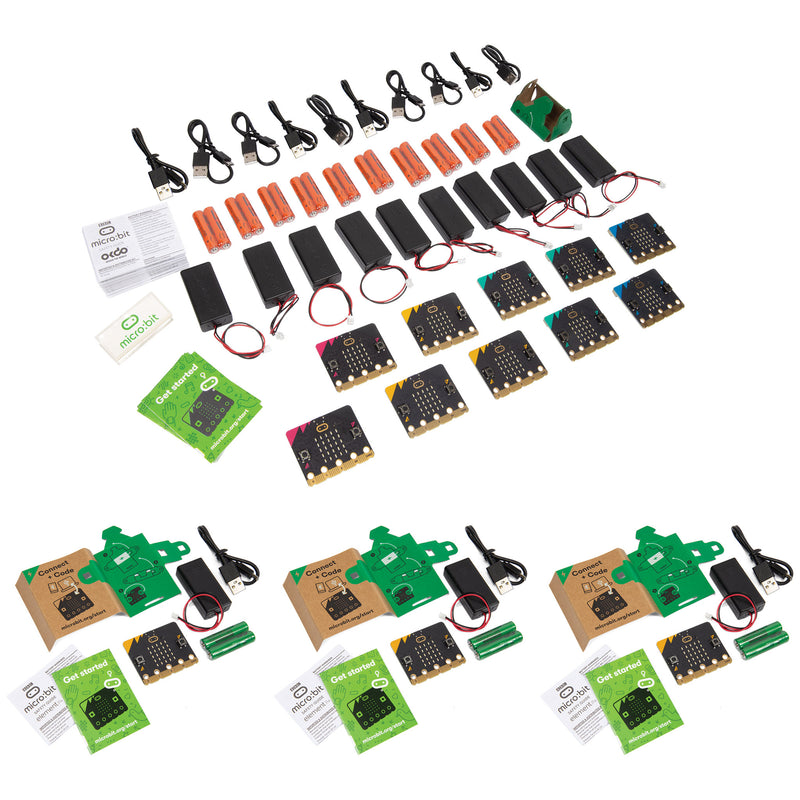
  • 10 BBC micro:bit V2 boards
  • 10 micro USB cables
  • 10 battery packs
  • 20 AAA batteries
  • 10 quick-start user guides
  • 10 safety leaflets
  • 10 cardboard battery pack holders
SPECIFICATIONS & SAFETY
  • Students served: 24
View full details
Grade 3 Computer Science Program
Grade 3 Computer Science Program

Regular price $940.00
Regular price $0.00 Sale price $940.00

Frequently Bought Together

1
micro:bit V2 Go Bundle
+
2
Grade 2 Computer Science Program
+
3
Grade 4 Computer Science Program

Total: $3,431.00 (3 items)
Grade 3 Computer Science Program

Block-Based Coding With Sensors

Code. Sense. Create. micro:bit puts real sensors, LEDs, and buttons in students' hands—so they write code that interacts with the physical world, not just a screen.
Real Sensors, Real Data

Real Sensors, Real Data

Students use micro:bit's built-in accelerometer, temperature sensor, light sensor, and compass to collect and respond to real-world data.

Block-Based Programming

Block-Based Programming

MakeCode's drag-and-drop interface makes coding accessible for 3rd graders while teaching conditionals, loops, and variables.

SEL Integration

SEL Integration

Lessons like Feelings Meter and Kindness Counter weave social-emotional learning into coding projects.

CodeJoy Student Show

CodeJoy Student Show

Interactive presentations engage students in coding concepts through demonstration and guided exploration.

What Students Will Do

Through ten lessons, third graders transition from tactile robots to screen-based coding with real sensor feedback.
  • Program scrolling text on micro:bit's 5×5 LED display
  • Create a feelings meter using buttons and conditionals
  • Build a step counter with the accelerometer
  • Simulate a weather station with temperature sensors
  • Code a Rock, Paper, Scissors game using shake detection
  • Use the compass to explore navigation and magnetism

Compare Similar Products

Feature Current Product
Grade 3 Computer Science Program
Grade 2 Computer Science Program Grade 4 Computer Science Program
Price $940.00 $2,380.00 $1,029.00
Primary Focus Microcomputing BasicsComputer Science Foundations Microcomputing Basics
Grade Level Grade 3Grade 2 Grade 4
Featured Device micro:bitBlue-Bot micro:bit (with extension kits)
Curriculum Length 10 lessons (60 minutes each)12 lessons (60 minutes each) 10 lessons (60 minutes each)
Device Required
Cross-Curricular Lessons
Best For Block-based coding with sensors and microcontrollersApp-based programming with Bluetooth connectivity Advanced sensor projects with external hardware
View Details View Details

Step 1—Meet micro:bit: Students learn to connect micro:bit to a computer, open MakeCode, and write their first program—a scrolling name badge on the LED display.

Step 2—Explore Sensors: Each lesson introduces a new sensor or input—accelerometer for step counting, temperature sensor for weather tracking, buttons for emotion tracking, compass for navigation.

Step 3—Code and Test: Students build block-based programs in MakeCode, download them to micro:bit, and test in the real world. They iterate and debug based on results.

Step 4—Share and Reflect: CodeJoy Student Shows and class discussions help students explain their code, share findings, and connect projects to real-world applications.

Career-Connected Computer Science

The 3rd Grade Computer Science Program connects students to the world of physical computing and data science. As they code sensors to track steps, monitor weather, and detect light levels, students practice the same skills used by IoT engineers, data scientists, and app developers.

Industry Applications: Internet of Things (IoT), data science, environmental monitoring, wearable technology, and game design.

Science

  • Temperature measurement
  • Light detection
  • Magnetism
  • Environmental monitoring
  • Weather patterns

Technology

  • Block-based coding
  • Microcontrollers
  • Sensors
  • LEDs
  • Input/output systems

Engineering

  • Algorithmic thinking
  • Conditionals
  • Loops
  • Debugging
  • Event handling

Math

  • Data collection
  • Measurement
  • Counting
  • Randomization
  • Input/output relationships

In These Lessons, Students Will...

  • Flashy Name Badge—Program their names to scroll across the micro:bit screen. Students learn basic programming, sequencing, and digital literacy
  • Feelings Meter—Create a simple emotion tracker using Buttons A and B to show happy/sad faces. Students learn SEL integration, input/output, and conditionals
  • Step Counter Challenge—Use an accelerometer to count steps and compare with classmates. Students learn data collection, measurement, and math integration.
  • Weather Watcher—Simulate a weather station using icons and temperature sensors. Students learn science integration and data representation.
  • Rock, Paper, Scissors Game—Shake the micro:bit to randomly display rock, paper, or scissors. Students learn randomization, logic, and game design.
  • Micro:bit Pet—Create a virtual pet that reacts to button presses or movement. Students learn event handling, creativity, and loops.
  • Light Level Detector—Use the light sensor to detect brightness and display a sun or moon. Students learn environmental science, sensors, and conditionals.
  • Math Quiz Machine—Program simple math questions and use buttons to select answers. Students learn math fluency, logic, and input/output.
  • Compass Explorer—Use the built-in compass to find directions and explore navigation. Students learn earth science, geography, and magnetism.
  • Kindness Counter—Track acts of kindness using button presses and display totals. Students learn SEL, data tracking, and positive behavior reinforcement.

Support Materials

Videos, guides, and resources to help you get the most out of this product.

Why Teachers Love Grade 3 Computer Science Program

Real Sensors

Real Sensors

Accelerometer, temperature, light, compass, and buttons built into every micro:bit.

Block-Based Coding

Block-Based Coding

MakeCode's drag-and-drop interface makes coding accessible and visual.

SEL Integration

SEL Integration

Feelings Meter and Kindness Counter weave social-emotional learning into CS.

Free Platform

Free Platform

MakeCode is free—no additional software licenses required.

Teacher Onboarding

Teacher Onboarding

45-minute guided session gets educators up and running quickly.

Pathway Aligned

Pathway Aligned

Bridges tactile robotics (K-2) to advanced coding (4-5).

"This is what education should be. This is what education should've always been."

— Pat Taylor, Headmaster, Jackson Academy, Jackson, Mississippi

Flexible Purchasing Options

Pricing and volume discounts are built in—choose the path that fits your purchasing process.

Buy Online

Best if you know what you need and can buy online.

Ready to purchase now? Add this to your cart for fast, easy checkout.

Request a Quote

Need a quote for approval or purchase order processing?

Request a quote or connect with an Education Advisor before purchasing.

Request a Quote

Get Expert Guidance

Exploring options or planning a larger implementation?

Our Education Advisors can help with product selection, curriculum, and professional learning.

Book a Meeting

Frequently Asked Questions

Do students need computers or tablets?

Yes. micro:bit requires a computer or tablet to write and download programs using the free MakeCode platform.

What is MakeCode?

MakeCode is Microsoft's free, browser-based coding platform. Students drag and drop code blocks to build programs, then download them to micro:bit via USB.

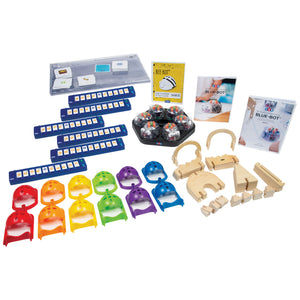
How is this different from the Bee-Bot and Blue-Bot programs?

micro:bit transitions students from programming a robot's movements to writing code that controls sensors, LEDs, and buttons—a shift from physical navigation to digital computing.

Do teachers need coding experience?

No. The CodeJoy Student Show and lesson plans provide step-by-step guidance. A 45-minute onboarding session is also included.

How many micro:bits are included?

The program includes one Club Bundle and three Go! Bundles, providing enough devices for 24 students working in pairs.

Is this program part of a larger computer science pathway?

Yes. The 3rd Grade program sits between the Bee-Bot/Blue-Bot robotics pathway (K-2) and the advanced micro:bit and LUMA programs (4-5).